
INFORMATION DESIGN, UI/UX DESIGN, STORYTELLING
Framed within the National Hockey League's website, this website is designed as a part of a theoretical series of articles that explains the nuances of each hockey position to interested individuals. This specific article breaks down the roles, equipment, statistics, and rewards associated with goaltending in particular. Click here to scroll through the website.
TOOLS
Framer
Figma
Photoshop
Illustrator
After Effects
COURSE
Information Design
CLIENT
UW Design
DURATION
Eight Weeks, Solo
PROMPT
Design an infographic narrative that examines a well-known public award or prize program. The narrative can be a print publication or website that informs and analyzes the award to a specific audience.
IDEATION
Initially, because I love hockey and am fascinated by goaltending, I planned on explaining the Vezina Trophy to an audience of individuals well-acquainted with the sport. However, as my project evolved, critique from my classmates and professor led me to explain hockey and goaltending to an audience of new fans, with the Vezina and Jennings Trophy explained very quickly in a small call-out moment.
I structured the narrative to slowly situate readers on the ice, and gradually increased the complexity throughout the article. Readers become familiar with terminology associated with goaltending, their equipment, what a save percentage is, and how goaltenders are doing currently in this day and age. The article closes with a clickable matrix that allows people more familiar with hockey to examine their team's goaltender stats.
"ON THE ICE"
As I began to work on this project, I had a difficult time figuring out how to situate readers and smoothly ease them into learning more and more complex information on goaltenders. My solution to this was to imagine that every article begins with a small description of where the player is on the ice.
From there, I described what the specific role of the goaltender and detailed where they are allowed to be on the ice. To segue clearly into the next section, I added a video of a player scoring to show how fast pucks were coming at the goalies.
Throughout the article, in large call-out sections, I interspersed numbers and letters that I had stamped and scanned to add texture and energy to my otherwise very vectorized piece.
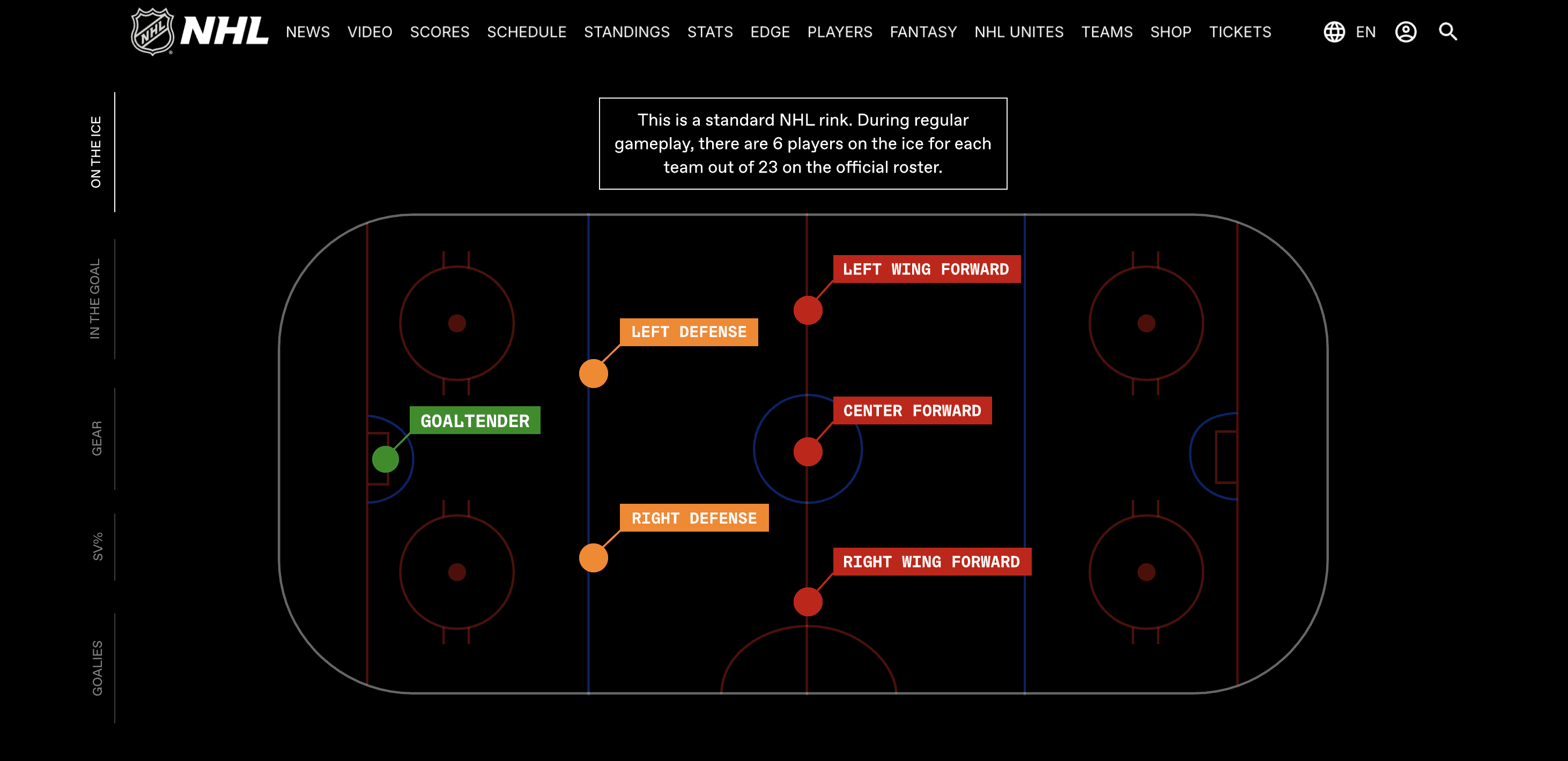
The article begins by situating the reader on an NHL hockey rink.
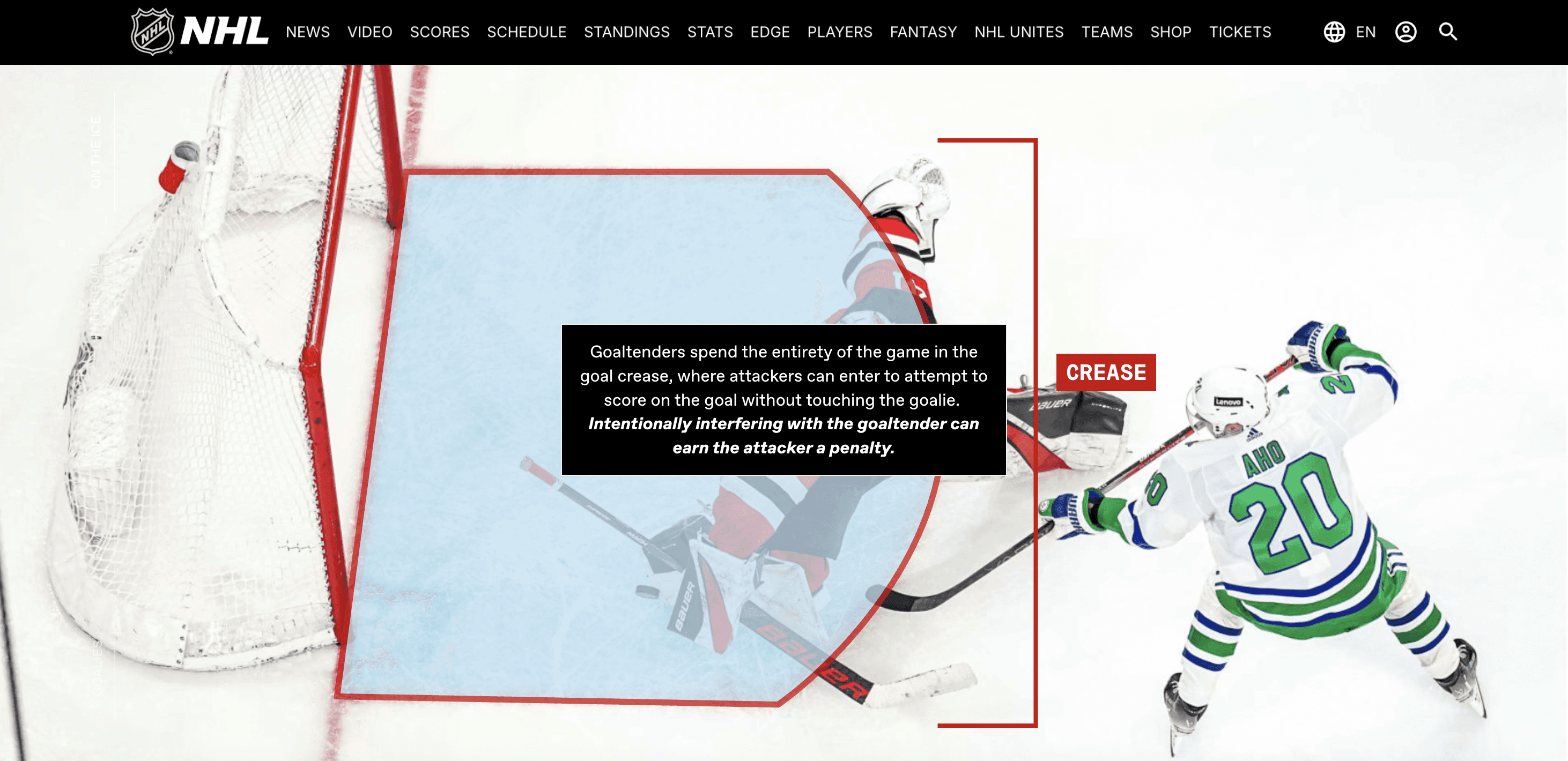
Some higher level information, like details about the crease, is explained in this section.
"IN THE GOAL"
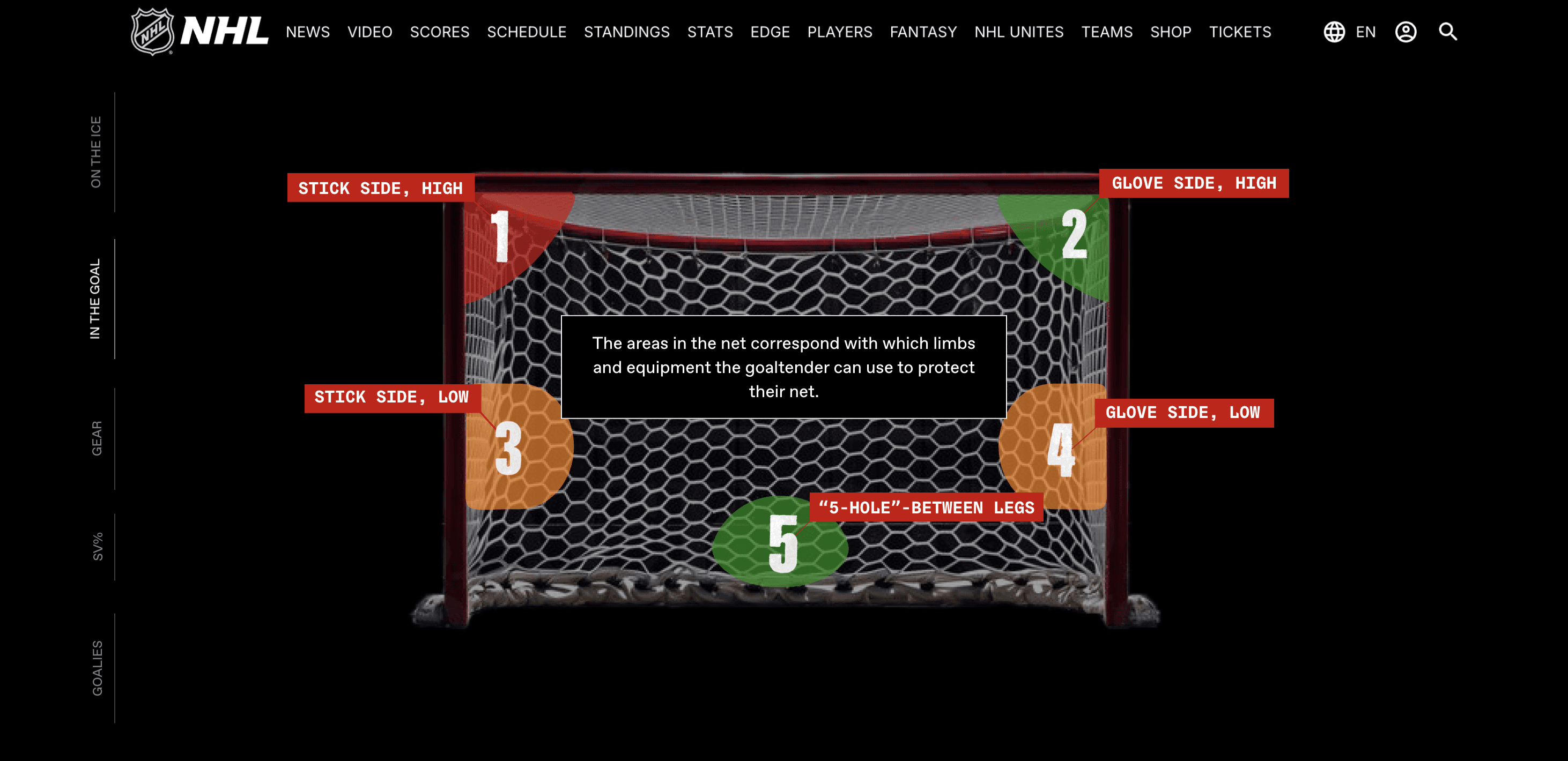
In hockey, the goal is sectioned off into several different "holes" or "slots" that the puck can get into if the goaltender is not playing well. In this section, I labelled each hole, along with the corresponding ways that the goalie makes saves within them.
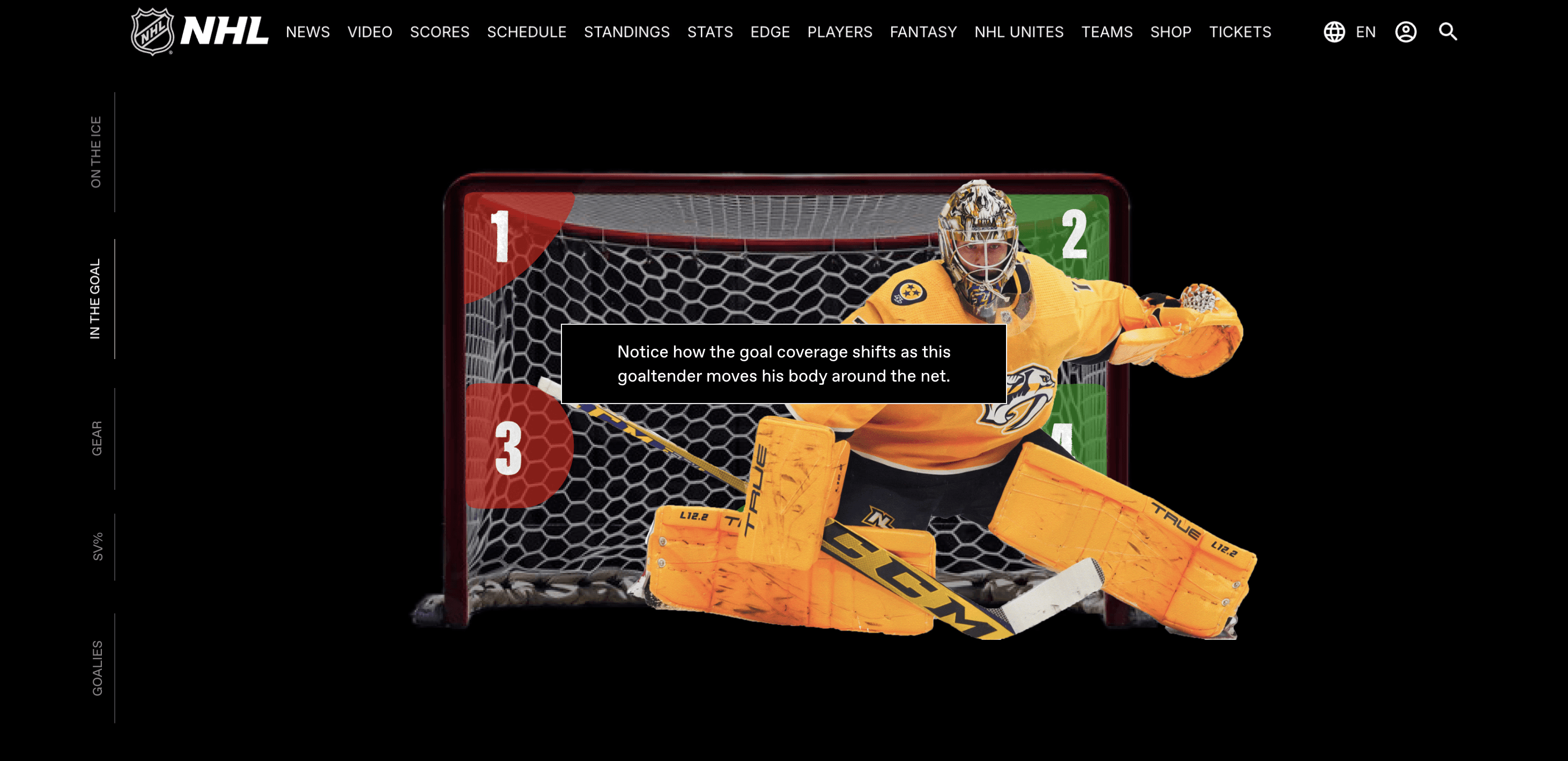
To connect the labels with the concept, I moved a goalie around the net and changed the colors of the "holes" to indicate what was being covered in what position. Throughout my piece, I used green to indicate "good," yellow-orange to indicate "almost," and red to indicate "bad." Since I was already introducing a lot of new information to readers, I wanted to lean into preexisting color associations.
Here, I took the goal and labelled it to show where goalies are playing the net and where they can use their bodies to block.
In this section, goalie Juuse Saros moves around to block shots.
"GEAR"
Goalies have very unique gear compared to the rest of the skaters on ice, and I knew breaking down the equipment would take up a significant portion of my article.
I decided to label a photo because I thought that if someone were genuinely reading this to learn more about hockey and the position, they would want to be able to connect what they see on the ice every game to its terminology.
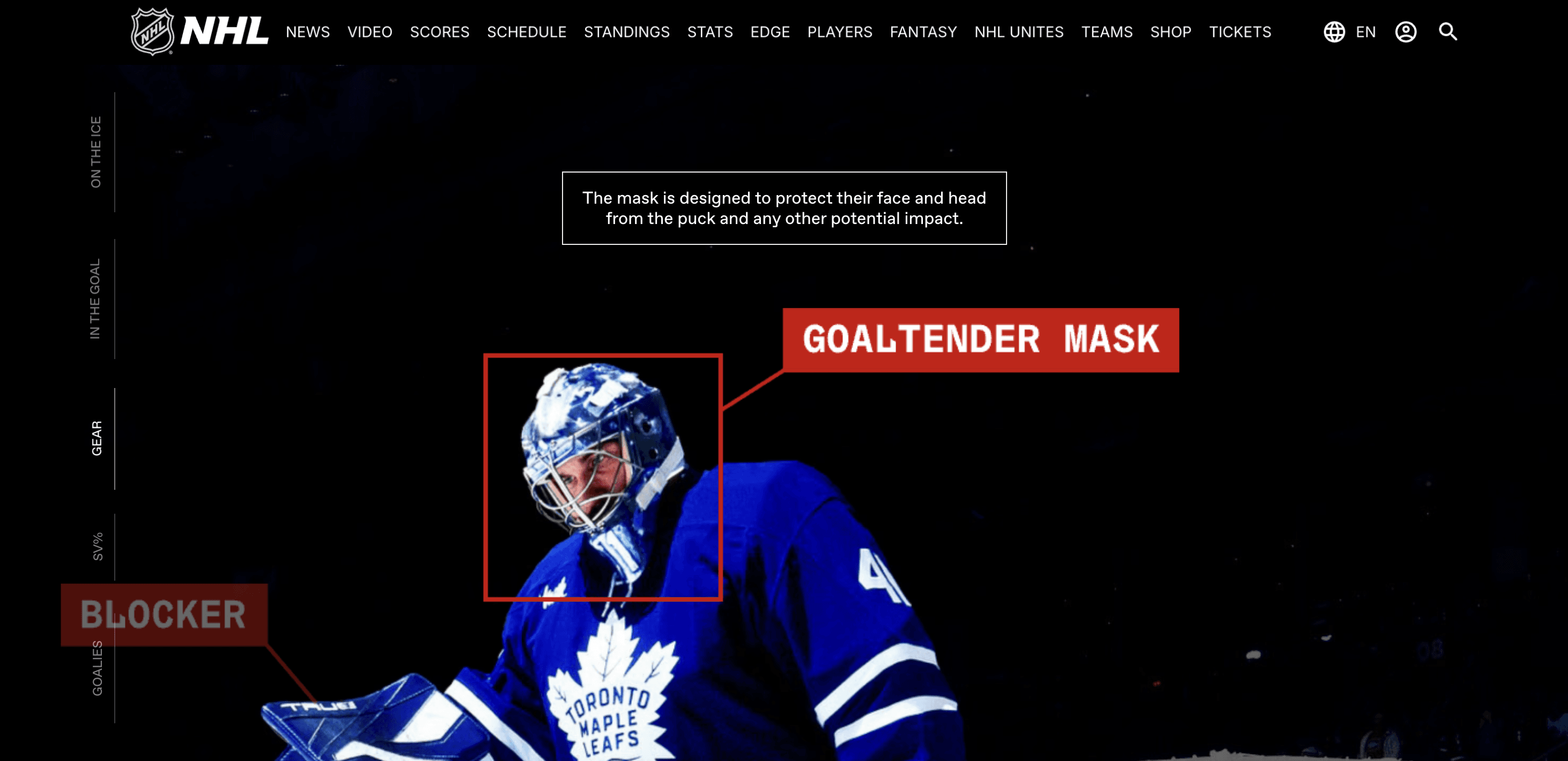
This section first shows the overall diagram, then zooms around to each piece of equipment and gives more context for the functionality of each piece.
I began this section by showing the entire goaltender uniform with labels.
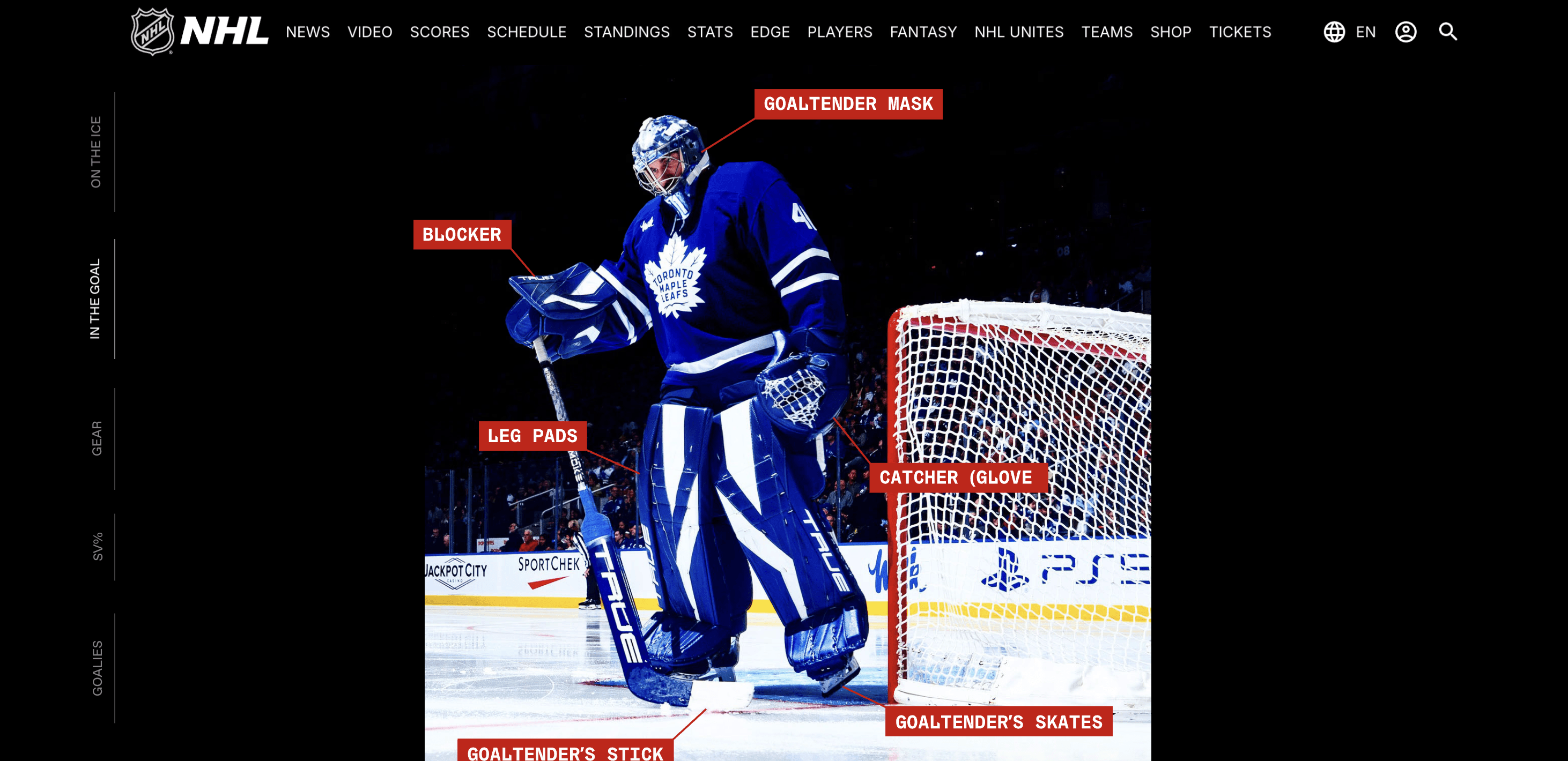
As readers scroll, each label morphs to box around the equipment it corresponds to, and a pop-up description box scrolls by.
"SV%"
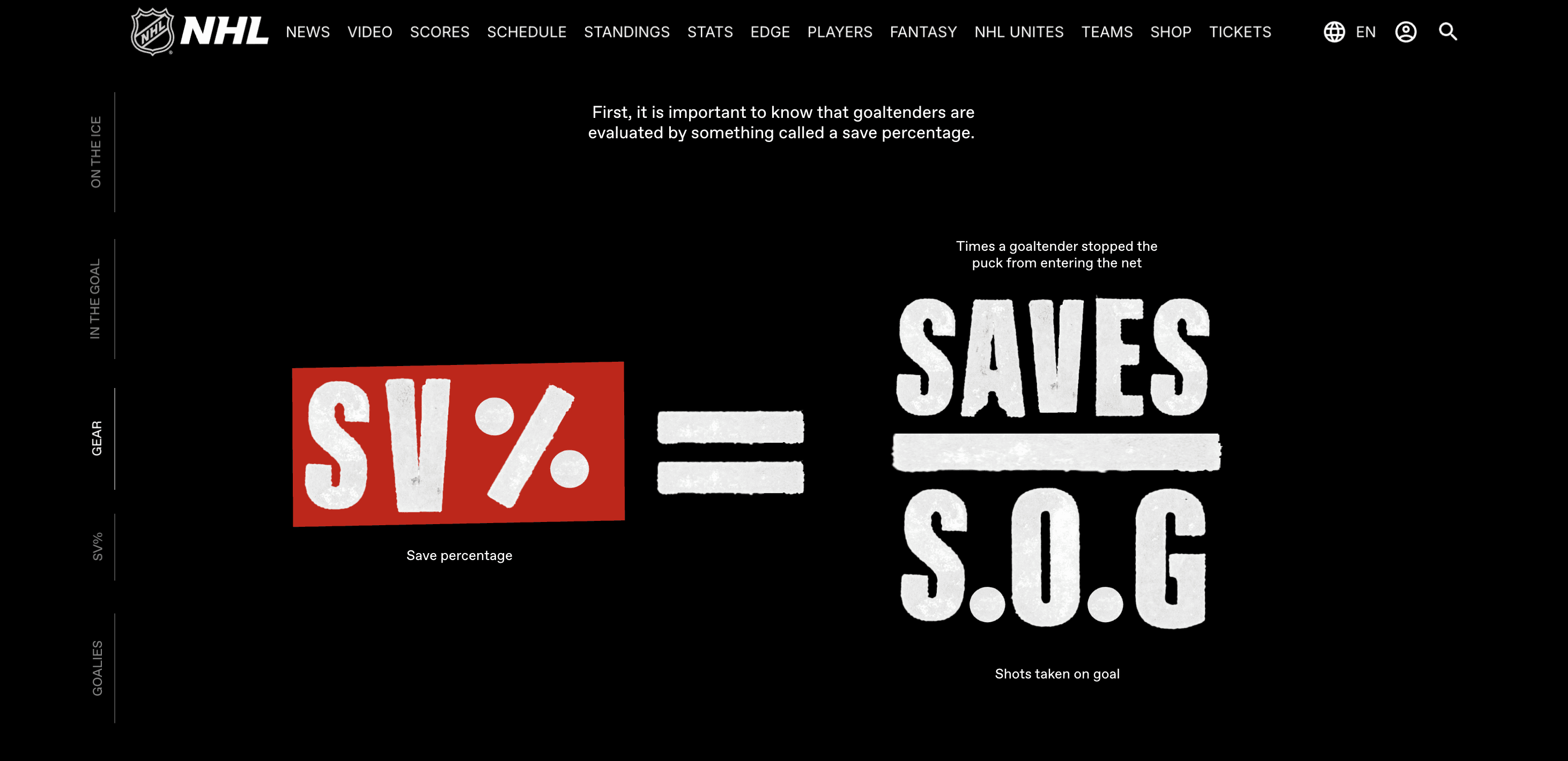
I decided to make the section on save percentages the only scrolling section in this very scroll-jacked article because I wanted to allow readers as much time as possible to digest these more complex equations and concepts.
I also introduced the concept of a starting goaltender in this section in order to lead more smoothly into my matrix of goaltenders and contextualize why so many of the save percentages seem "high."
I broke down the math behind save percentages using type I had stamped myself—I wanted it to feel gritty and not vectorized.
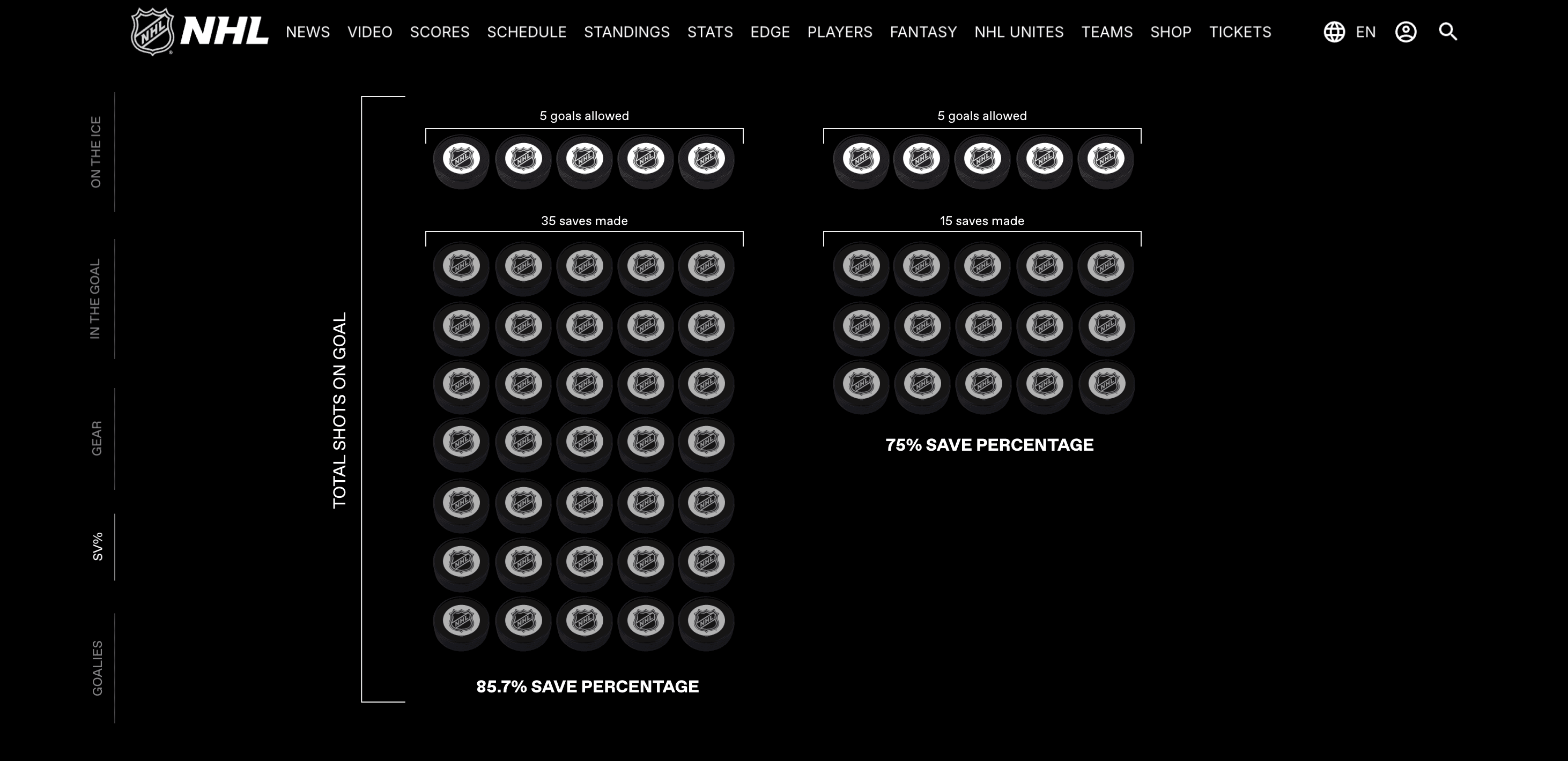
Here, I used pucks to show the way that the shots on goal effect a save percentage and help readers conceptualize what each shot represents.
"GOALIES"
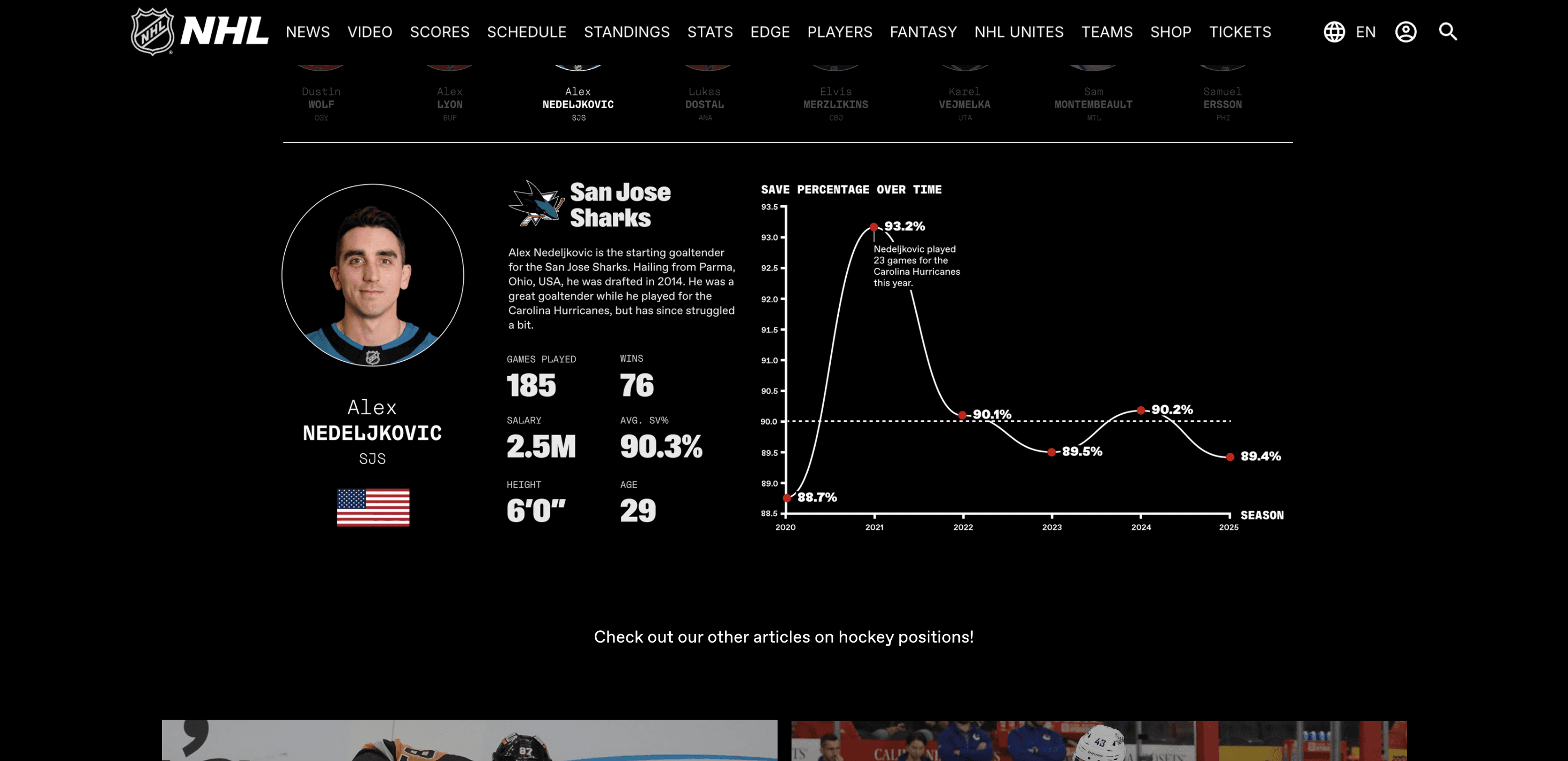
Early in the development phase of my project, I decided I wanted to show the statistics of a few goalies to explain the range of skills and differences in tasks in the NHL.
As my project evolved, I decided to control this section specifically by contrasting the top starting goalie (Connor Hellebuyck) with the bottom starting goalie (Samuel Errsson). From there, I explained how team strength could effect a goalie's statistics by showing a bad goalie on a great team (Stuart Skinner, now on the Pittsburgh Penguins) and a great goalie on a bad team (Juuse Saros of the Nashville Predators).
I also used this section of my project to finally call back to the initial prompt of explaining a reward—under the guidance of my professor, my project had become explanatory of the sport, but I felt it was important to show the accolades involved.
I began by breaking up this large matrix into elite and bottom tier starting goaltenders to ease the cognitive load for the readers.
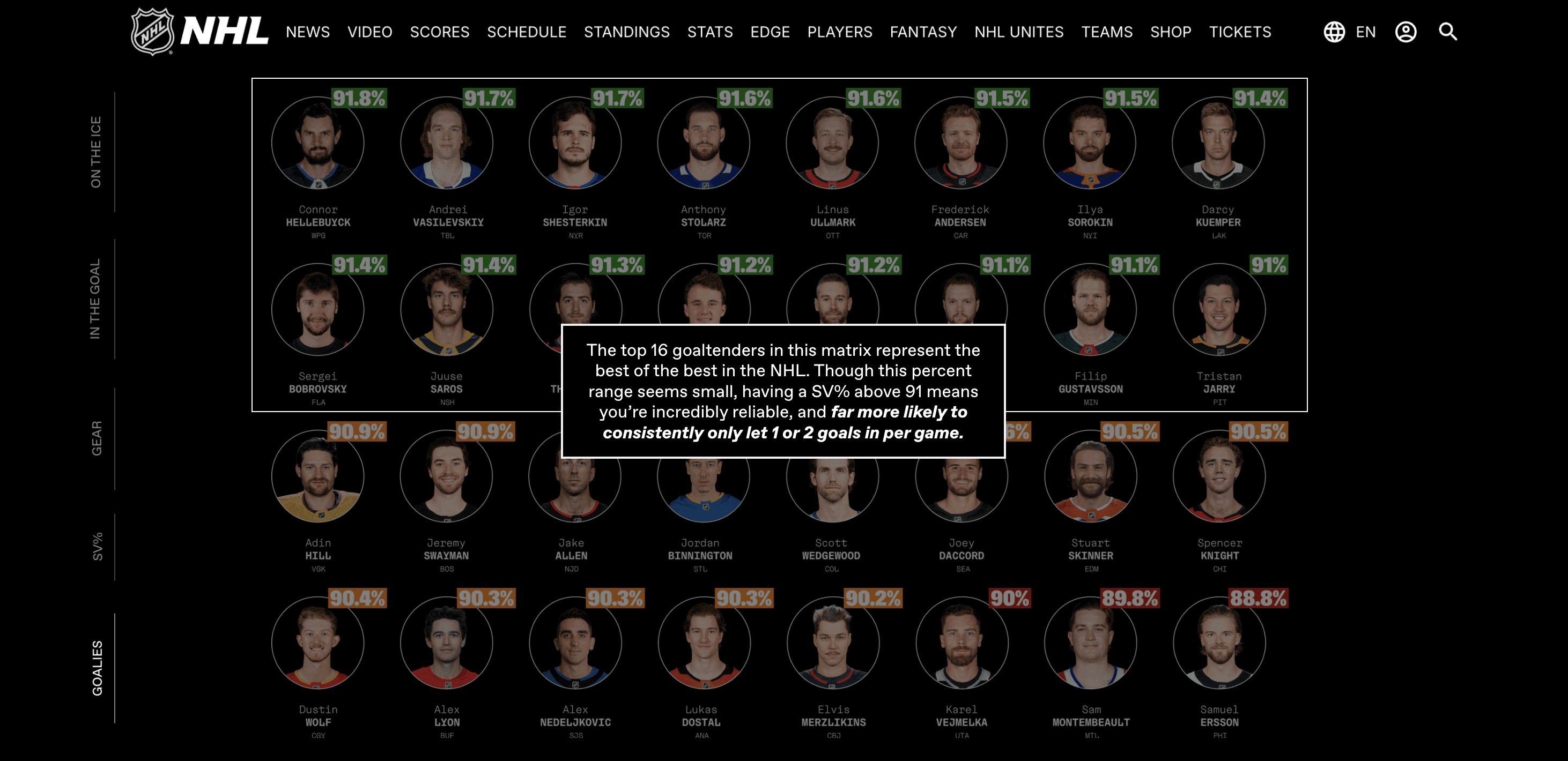
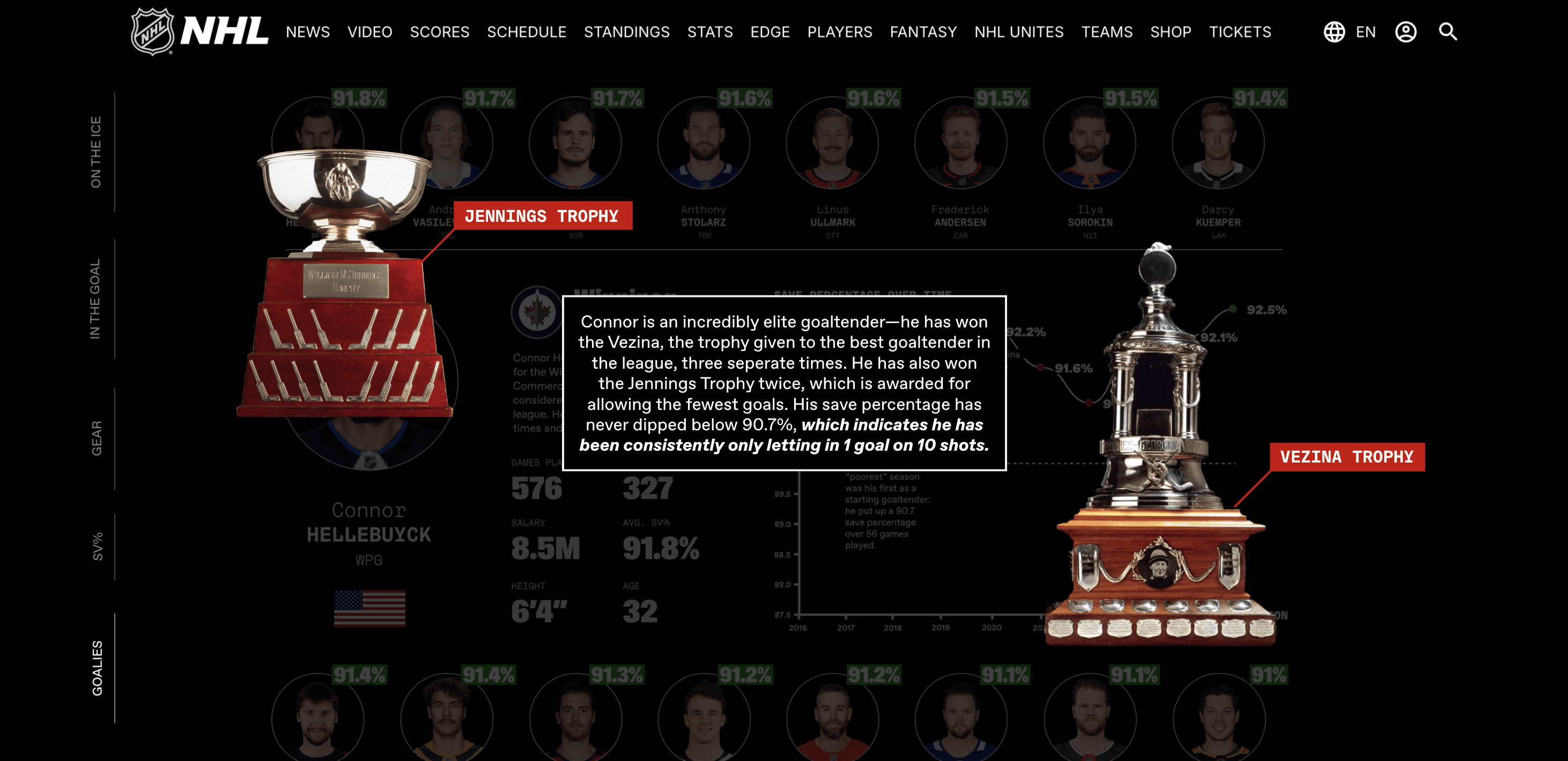
Since Connor Hellebuyck is statistically the best goaltender in this matrix, I did a deeper dive on his career and awards he has received.
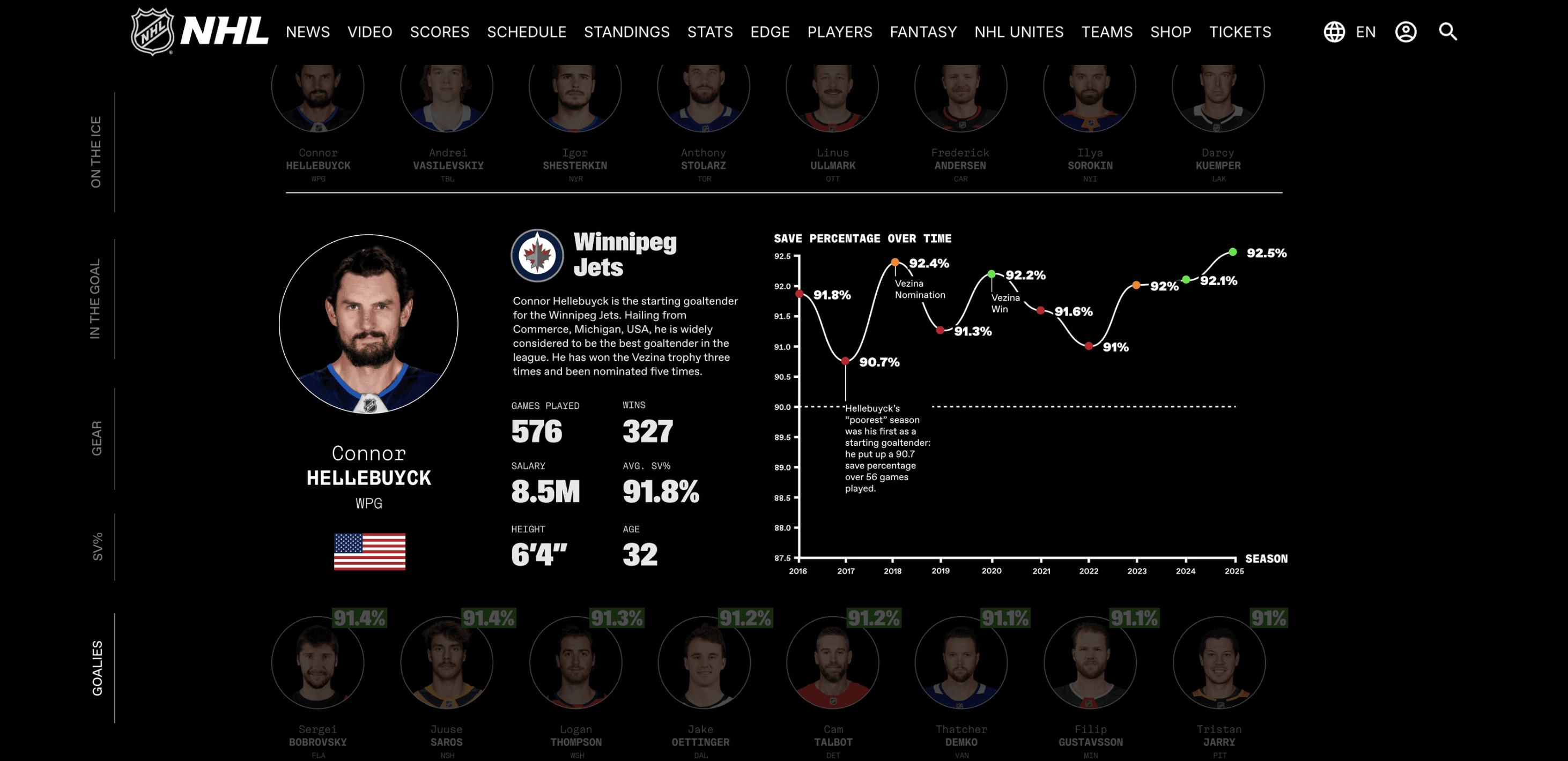
Every goaltender who was described in this section was shown alongside a graph of their career save percentages and information about their careers and statistics.
CONCLUSION
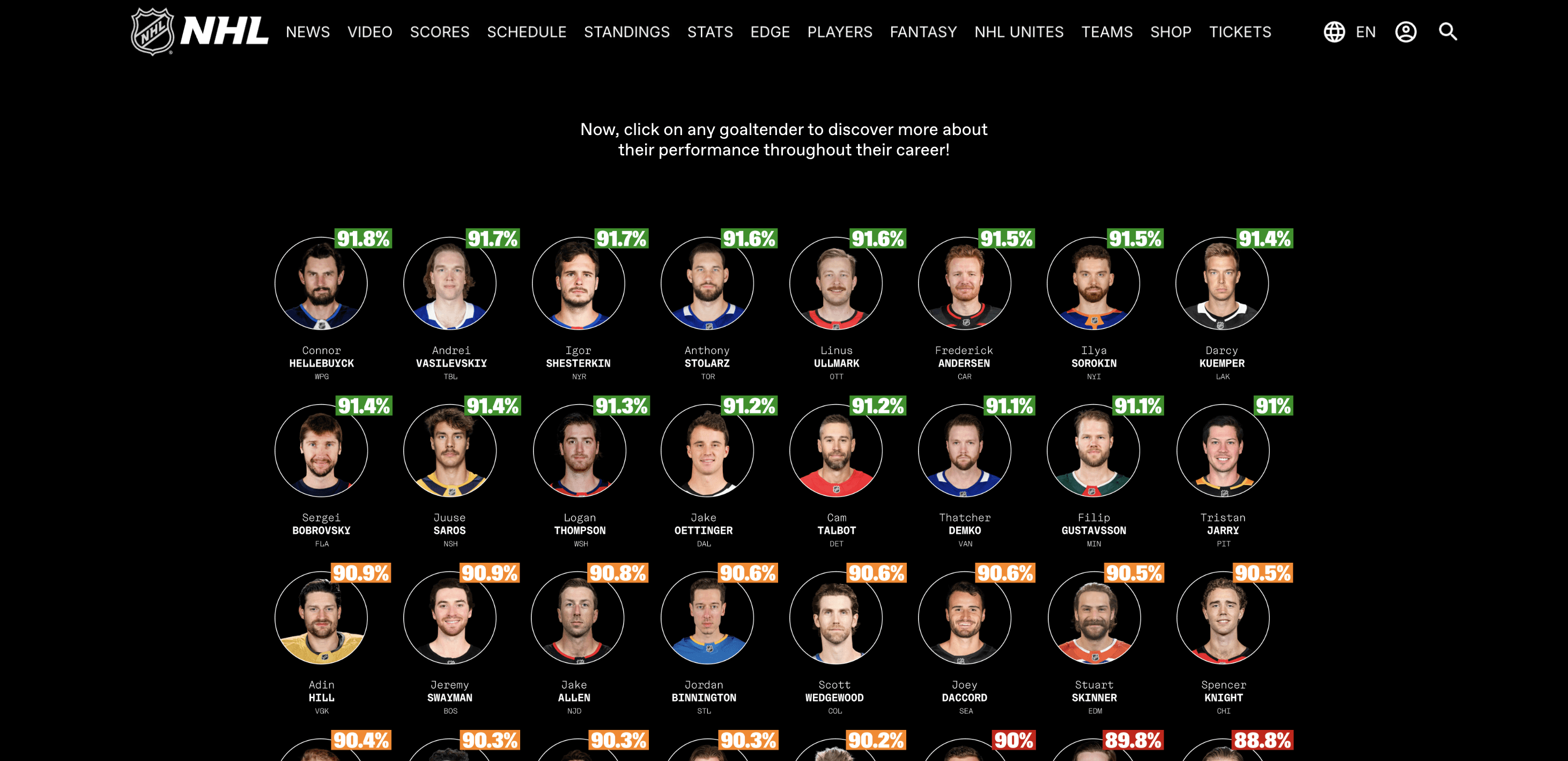
I had so much fun working on this project that I wanted to provide a clickable matrix at the end for hockey fans reading the article to check out their goalie's stats. It's a big sports fan thing to want to see exactly how your guy on your team is doing—so I felt it was important to include just that. I also got a little trigger happy making graphs (you never work a day in your life when you're doing what you love.)
As a fun interactive at the end of the article, I created a clickable matrix where readers could select their team's goalie and read about their stats.
Each goaltender has their own graph of their career save percentages, with some relatively biased annotation and description.
A full scroll-through of my website.
REFLECTION
Learning how to break down such a complex topic (that most of my class was incredibly unfamiliar with) was such a rewarding and unique process! Many thanks to my professor, Karen Cheng, for all of her guidance, and my classmates for sending me every good hockey infographic that's ever been made as inspiration. I'm so proud of this project and so excited to share it!
My entire Information Design class and their finals! I'm in the middle with my computer.